
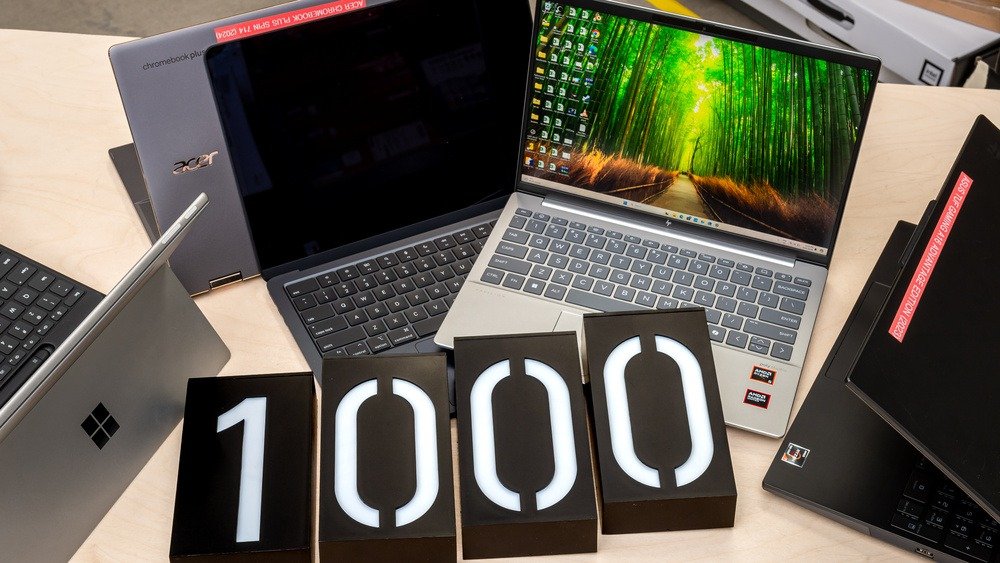

Best Budget Laptops Under $1000 in 2026 (Tested Picks)
Looking for a great laptop without overspending? Here are the best budget laptops under $1000 in 2026 for students, work, and everyday use, with real pros and cons.
Best Budget Laptops Under $1000: What Actually Worth Buying in 2026
A few years ago, “budget laptop” basically meant “slow laptop.” You’d get a sluggish processor, a dim screen, and a fan that sounded like a leaf blower every time you opened more than three browser tabs. That’s just not true anymore. The laptop market has changed in a big way, and right now, under $1000 buys you a genuinely capable machine, not a compromise you have to apologize for.
I’ve spent a lot of time testing and comparing laptops in this price range, and what stands out is how blurry the line has become between “budget” and “premium.” You can find machines with all-day battery life, sharp displays, and processors that handle everything from spreadsheets to light photo editing without breaking a sweat. The trick is knowing what to look for and which models actually deliver, instead of just looking good on a spec sheet.
This guide walks through the best budget laptops under $1000 right now, who each one is actually good for, and what to watch out for before you buy.
What to Look for in a Laptop Under $1000
Before jumping into specific models, it helps to know which specs actually matter and which ones are just marketing noise.
Processor (CPU)
This is the brain of your laptop, and it’s the single biggest factor in how the machine feels day to day. For most people, a recent AMD Ryzen 5 or 7, an Intel Core i5, or an Apple M-series chip will feel fast and responsive. Avoid older entry-level chips labeled “Celeron” or “Pentium” unless you’re only doing the absolute basics, like checking email and browsing.
RAM
Eight gigabytes used to be the standard, but it’s quickly becoming the bare minimum. If you tend to keep a dozen browser tabs open while running Spotify and a Zoom call in the background, aim for 16GB. It makes a noticeable difference in how smoothly everything runs together.
Storage
Solid-state drives (SSDs) are non-negotiable at this point. They boot faster, load programs almost instantly, and are far more durable than old-school hard drives. A 256GB SSD is workable, but 512GB gives you breathing room if you store a lot of files, photos, or games locally.
Battery Life
If you plan to use your laptop away from a desk, battery life matters more than almost anything else on this list. Look for laptops that claim 10+ hours, since real-world use typically knocks a few hours off the manufacturer’s number.
Display Quality
Resolution and brightness affect how comfortable the laptop is to use for hours at a time. A 1920×1080 (Full HD) panel is the sweet spot for this price range, and a higher refresh rate (90Hz or more) makes scrolling and everyday use feel noticeably smoother.
Top Picks for Best Budget Laptops Under $1000
1. Apple MacBook Air 13 (M4) — Best Overall
Among laptops tested under $1,000, the Apple MacBook Air 13 with the M4 chip stands out as a strong all-around pick. It’s a thin, light ultraportable that doesn’t feel like it’s cutting corners anywhere.
What makes it special is the combination of speed and battery life. Apple advertises up to 18 hours of battery life, and while real-world numbers are usually a bit lower depending on what you’re doing, testers have regularly gotten 13 to 14 hours during a heavy day of work involving apps like Teams, Slack, Chrome, and Lightroom running simultaneously. That’s the kind of battery life that lets you leave the charger at home.
The M4 chip itself is impressively quiet and efficient. It runs cool and silent even during demanding multitasking sessions with apps like Slack, Zoom, and Lightroom open at once, which is a big deal if you’ve ever used a Windows laptop whose fans kick on the moment you open a video call.
Pros:
- Excellent battery life that genuinely lasts a full workday
- Fast, quiet performance with no fan noise
- Premium build quality and display
- Great resale value if you ever want to upgrade
Cons:
- Base storage (256GB) fills up fast for creative work
- Only two USB-C ports, which can feel limiting
- No touchscreen
Best for: Students, writers, and anyone doing office work, light photo editing, or web-based tasks who wants a laptop that just works without fuss.
2. Acer Aspire 16 Copilot+ PC — Best Big-Screen Value
If you want a larger screen without spending more money, the Acer Aspire 16 starts at around $700 and includes a 16-inch WUXGA display with a 120Hz refresh rate and 350 nits of brightness. That’s a genuinely nice panel for the price.
It runs on a Snapdragon X processor with an NPU built in, meeting Microsoft’s Copilot+ PC requirements, paired with 16GB of memory and 512GB of fast PCIe storage. The port selection is solid too, covering USB-C, USB-A, a microSD slot, HDMI, and a headphone jack, so you won’t be hunting for dongles.
Pros:
- Large, sharp display for the price
- Built-in AI features through Windows Copilot+
- Generous port selection
- Leaves room in the budget for accessories
Cons:
- ARM-based chip means some older Windows apps may need emulation
- Bulkier and heavier than ultraportable options
Best for: People who want a bigger screen for spreadsheets, browsing, and streaming, without needing a laptop that travels light.
3. Lenovo IdeaPad Slim 5 — Best for Everyday Work
The IdeaPad Slim 5 keeps showing up on best-of lists for work laptops in this price range, and it’s easy to see why. It balances a comfortable keyboard, solid build quality, and dependable everyday performance without trying to be flashy.
This is the laptop equivalent of a reliable sedan. It’s not the most exciting choice, but it does what you need it to do, day after day, without giving you trouble.
Pros:
- Comfortable typing experience for long work sessions
- Solid build for the price
- Configurable with different processor and RAM options
Cons:
- Display isn’t as vibrant as some competitors
- Design is fairly plain compared to flashier rivals
Best for: Remote workers, freelancers, and small business owners who need a dependable daily driver for email, video calls, and document work.
4. ASUS TUF Gaming A15 — Best for Light Gaming
You don’t need to spend $1,500 or more to play modern games anymore. The ASUS TUF Gaming A15 stands out as a strong all-around gaming notebook under $1,000, combining a capable CPU with an RTX 4060 mobile GPU, a MUX switch, and good overall build quality.
In practical terms, that means you can run most current games at 1080p with high or even ultra settings, smoothly. Gaming laptops with an RTX 4060 mobile GPU can handle modern AAA games at high to ultra settings at 1080p, though the most demanding titles released recently may require dialing settings back slightly.
Pros:
- Real gaming performance, not just “good enough”
- Durable, reinforced build designed to handle daily wear
- Doubles easily as a productivity laptop
Cons:
- Shorter battery life than non-gaming laptops
- Heavier and bulkier, not ideal for daily commuting
Best for: Students and casual gamers who want one laptop that handles schoolwork during the day and gaming at night.
5. Acer Chromebook Plus Spin 714 — Best Chromebook Alternative
Not everyone needs Windows or macOS. If most of your day happens in a browser, a Chromebook can be a smarter and often cheaper way to go. The Acer Chromebook Plus Spin 714 is a 2-in-1 with a 14-inch WUXGA IPS display offering a 1920×1200 resolution and 340 nits of brightness, and it supports both touch and stylus input, even though a stylus isn’t included in the box.
Pros:
- Fast startup and simple, low-maintenance experience
- 2-in-1 flexibility for note-taking or media consumption
- Excellent battery life thanks to ChromeOS efficiency
Cons:
- Limited offline software compared to Windows or macOS
- Not ideal for heavy creative or professional software
Best for: Students, casual users, and anyone whose work mostly lives in Google Docs, Gmail, and a web browser.
Comparison at a Glance
| Laptop | Best For | Standout Feature | Starting Price Range |
|---|---|---|---|
| MacBook Air 13 (M4) | Overall use, students | All-day battery, silent operation | ~$999 |
| Acer Aspire 16 | Big-screen browsing & work | Large 120Hz display, AI features | ~$700 |
| Lenovo IdeaPad Slim 5 | Everyday office work | Reliable, comfortable keyboard | Under $700 |
| ASUS TUF Gaming A15 | Light to moderate gaming | RTX 4060 graphics | Under $1000 |
| Acer Chromebook Plus Spin 714 | Web-based tasks, students | 2-in-1 design, great battery | Under $600 |
Real-World Use Cases
It helps to think less about specs and more about what you’ll actually be doing.
A college student writing papers, joining Zoom classes, and streaming Netflix between classes doesn’t need a gaming rig. Something like the MacBook Air or the IdeaPad Slim 5 will handle that workload comfortably while lasting through a full day on campus.
A small business owner working from a home office, juggling spreadsheets, invoicing software, and video calls with clients, benefits more from a larger screen and solid keyboard, which makes the Acer Aspire 16 or Lenovo IdeaPad a smart fit.
A teenager who wants to do homework during the week and play games on weekends is exactly the kind of user the ASUS TUF Gaming A15 was built for. It’s rare to find a single laptop that handles both well, but this one manages it.
Someone who mostly lives in Gmail, Google Docs, and YouTube, and wants something simple that just turns on and works, will likely be happiest with a Chromebook like the Spin 714.
Frequently Asked Questions
Is it worth buying a laptop under $1000 in 2026, or should I save up for something more expensive?
For most everyday tasks, work, and even casual gaming, laptops under $1000 now offer most of the performance you’d get from pricier models. Unless you do professional video editing, 3D rendering, or heavy software development, there’s rarely a strong reason to spend more.
How much RAM do I actually need?
Eight gigabytes is the minimum for basic tasks, but 16GB is a much safer bet if you multitask at all. Memory is one of the easiest ways to extend how long a laptop feels fast.
Are Chromebooks worth considering instead of Windows or macOS laptops?
Yes, if your daily tasks are mostly browser-based. Chromebooks are fast, secure, and have excellent battery life, but they’re not a good fit if you rely on specific desktop software like Photoshop or certain business applications.
Can I game on a budget laptop under $1000?
Yes, more than ever. Laptops with an RTX 4060 mobile GPU can comfortably run most modern games at 1080p on high settings, even if the very newest, most demanding titles occasionally require turning settings down slightly.
How long should a budget laptop last before needing a replacement?
With reasonable care, a well-spec’d budget laptop should comfortably last 4 to 5 years for everyday use, and gaming laptops in this range tend to feel current for about 3 to 4 years before a GPU upgrade becomes appealing.
Final Thoughts
The idea that you need to spend over a thousand dollars to get a laptop that feels fast, lasts all day, and doesn’t frustrate you on a daily basis just isn’t true anymore. Whether you want the polish and battery life of the MacBook Air, the screen real estate of the Acer Aspire 16, the gaming chops of the ASUS TUF A15, or the simplicity of a Chromebook, there’s a genuinely good option waiting at this price point.
The best approach is to match the laptop to how you actually use it, rather than chasing the highest specs on paper. Think about your daily routine, how often you’ll be away from a charger, and what software you can’t live without. Get that part right, and a laptop under $1000 will likely serve you well for years to come.
Suggested Featured Image Prompt: A clean, modern flat-lay photo of three different laptops (a silver ultraportable, a larger 16-inch laptop, and a sleek gaming laptop with subtle RGB lighting) open and angled slightly toward the camera on a minimalist wooden desk, soft natural daylight from a window, a coffee cup and notebook nearby, shallow depth of field, realistic product photography style, no visible logos or brand names.