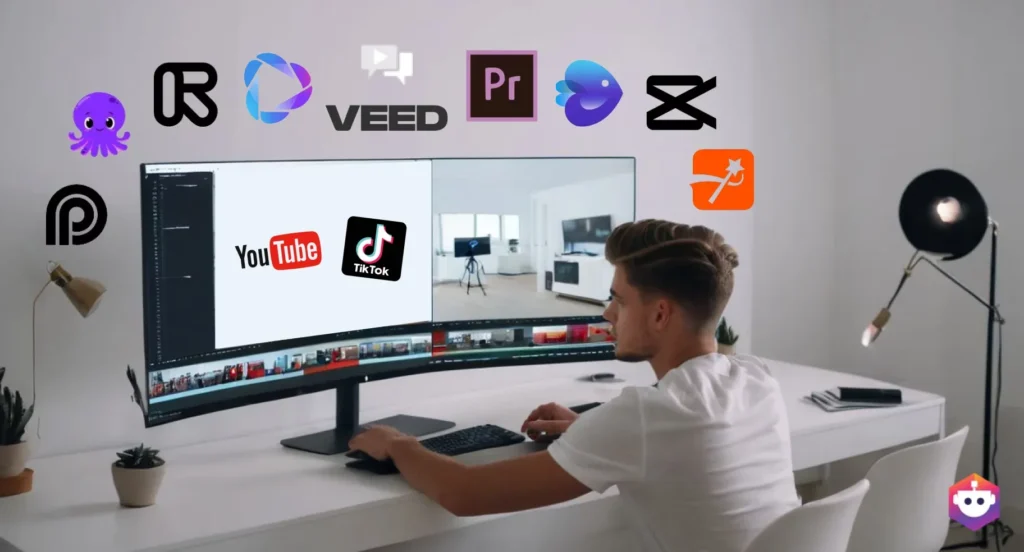

There was a time when running a YouTube channel or a blog meant wearing every hat yourself. You were the writer, the editor, the designer, and the marketer, often all before lunch. That workload is exactly why so many talented creators burned out before their channel ever got traction.
Things look different now. AI tools have quietly become the backbone of how independent creators operate, handling the repetitive, time-consuming pieces of content production so you can spend more energy on the part that actually matters: making something worth watching or reading. The creators pulling ahead in 2026 aren’t necessarily working harder. They’ve just figured out which tools to hand off to, and which parts to keep doing themselves.
This guide walks through the AI tools that are genuinely earning their place in creator workflows this year, what each one does well, where it falls short, and who it actually makes sense for.
Why AI Tools Matter More Than Ever for Creators
Competition for attention online has only gotten tighter. Producing one polished video or article a week used to be enough to build an audience. Now, consistency and discoverability matter just as much as quality. AI tools help close that gap by speeding up the parts of the process that don’t require your unique voice, like transcription, basic editing, and keyword research, while leaving the creative decisions in your hands.
Best AI Tools for Scripting and Writing
ChatGPT and Claude
Both of these AI assistants have become go-to tools for brainstorming video ideas, building outlines, and drafting full scripts or blog posts. The trick that separates good output from generic output is specificity. Asking for “a script reviewing a new phone” gets you something forgettable. Asking for a 10-minute script targeting a specific audience, with a clear hook-problem-solution structure, gets you something usable.
Pros:
- Fast brainstorming and first drafts
- Free tiers available for casual use
- Useful for repurposing one piece of content into multiple formats
Cons:
- Output can sound generic without detailed prompts
- Still requires editing to match your personal voice
Niche Scripting Tools
Beyond general-purpose chatbots, several tools now specialize specifically in YouTube scripting, analyzing a creator’s existing videos to generate new scripts that match their tone, pacing, and structure. These tend to cost more, usually somewhere in the $40 to $50 monthly range, but can save serious time for creators publishing multiple videos a week.
Best for: Creators who already have a few videos published and want consistency without starting from a blank page every time.
Best AI Tools for Thumbnails and Visuals
Canva’s AI Features
Thumbnails make or break click-through rates, and you don’t need design experience to compete anymore. Canva’s AI tools, including background removal, automatic layout suggestions, and text-to-image generation, let creators put together professional-looking thumbnails in minutes rather than hours.
Pros:
- Beginner-friendly with a generous free plan
- Templates speed up the design process significantly
- Works well alongside keyword tools for a complete content workflow
Cons:
- Truly original, high-end designs may still need a dedicated designer
- Heavy template use can make thumbnails look similar across creators
Thumbnail Analysis Tools
A newer category of tools now scores your thumbnail against top performers in your niche, rating things like visual clarity and emotional impact before you even publish. This data-driven approach takes some of the guesswork out of what used to be pure trial and error.
Best for: Established creators looking to systematically improve click-through rates rather than relying on instinct alone.
Best AI Tools for Video Editing
Descript
Descript changed how a lot of creators think about editing by letting you cut and rearrange video simply by editing the transcript text. Remove a sentence from the transcript, and the matching video clip disappears too. For creators who dread the technical side of editing, this is a genuine game-changer.
Pros:
- Removes the steepest part of the editing learning curve
- Automatic transcription saves significant time
- Great for podcast-to-video repurposing
Cons:
- Less precise than traditional editing software for advanced effects
- Subscription costs add up if you’re also paying for other tools
Opus Clip
If you’re not already repurposing long-form videos into short-form clips for TikTok, Instagram Reels, or YouTube Shorts, you’re likely leaving views on the table. Opus Clip analyzes a full-length video and automatically identifies the most shareable moments, turning them into ready-to-post short clips.
Best for: Creators who produce long-form content and want a presence on short-form platforms without manually re-editing everything.
Best AI Tools for SEO and Growth
VidIQ and TubeBuddy
These two tools are widely considered the foundation of any serious YouTube growth strategy. VidIQ leans into keyword research, competitor insight, and AI-driven video ideas based on trending topics in your niche. TubeBuddy tends to shine after you’ve already published, with features like thumbnail A/B testing and bulk tag editing.
Many creators use both together rather than choosing one over the other, since they solve slightly different problems.
Pros:
- Free plans offer genuinely useful starting data
- Removes a lot of guesswork around titles, tags, and timing
- Helps smaller channels avoid wasting time on topics nobody’s searching for
Cons:
- Full feature sets require a paid subscription
- Data-driven decisions still need a creator’s judgment to apply well
AI Writing and SEO Tools for Bloggers
Bloggers have their own version of this same workflow. AI writing assistants combined with SEO-focused tools help identify high-intent keywords, suggest readability improvements, and flag content gaps compared to competitors. The goal isn’t to let AI write everything, but to remove the guesswork from what to write about and how to structure it for search visibility.
Comparison at a Glance
| Tool Category | Best Tool | Starting Price | Best For |
|---|---|---|---|
| Scripting | ChatGPT / Claude | Free tier available | Brainstorming, first drafts |
| Thumbnails | Canva AI | Free tier available | Beginners, fast design |
| Editing | Descript | Paid plans vary | Text-based video editing |
| Short-form repurposing | Opus Clip | Paid plans vary | Turning long videos into clips |
| SEO & Growth | VidIQ | Free tier available | Keyword research, discoverability |
Real-World Use Cases
A new YouTuber with under 1,000 subscribers benefits most from starting lean: a free VidIQ plan to validate video ideas before filming, paired with ChatGPT for scripting. This combination alone, at zero cost, removes two of the biggest reasons small channels stall out early.
A blogger covering a competitive niche, like personal finance or tech reviews, gets the most value from pairing an AI writing assistant with a dedicated SEO tool to identify content gaps competitors haven’t covered yet, rather than just chasing the same keywords everyone else is targeting.
A podcaster looking to expand into video content can use Descript to handle the bulk of editing work through transcript-based cuts, then run the finished long-form episode through Opus Clip to generate short-form content for social platforms, multiplying the value of a single recording session.
An established creator with a full-time content schedule typically settles into a stack of three to four tools used consistently, rather than constantly testing new ones, since switching tools too often tends to cost more time than it saves.
Frequently Asked Questions
Do I need to pay for AI tools to grow as a creator?
Not necessarily at first. A functional starting stack using free tiers, such as ChatGPT, VidIQ, and Canva, costs nothing and covers scripting, SEO, and design. Paid tools become worth considering once you’ve identified a specific bottleneck slowing you down.
Will using AI tools make my content feel generic?
It can, if you rely on default prompts and templates without adding your own voice. The creators who get the best results treat AI as a first draft generator or research assistant, then edit the output to sound like them.
How many AI tools should I actually be using?
Most successful creators settle on three to four tools used consistently, rather than ten tools used occasionally. It’s better to master a small, connected workflow than to constantly test new software.
Are AI video editing tools good enough to replace a human editor?
For straightforward content like talking-head videos, tutorials, or podcast clips, yes, in many cases. For complex creative effects or branded high-production content, a human editor still typically delivers a more polished result.
What’s the biggest mistake creators make with AI tools?
Treating AI as a replacement for strategy rather than a way to execute it faster. The tools can speed up scripting, editing, and design, but they can’t replace understanding your audience or deciding what’s actually worth making content about.
Final Thoughts
The creators thriving in 2026 aren’t the ones using the most AI tools. They’re the ones who identified exactly where their time was getting wasted, scripting, editing, design, or discoverability, and brought in the right tool to fix that specific problem. Start with the free tiers, figure out where your actual bottleneck is, and only add a paid tool once you’re confident it’s solving something real.
Used this way, AI doesn’t replace the creative work that makes your channel or blog worth following. It just clears away everything that was standing between you and doing more of it.